Know when Claude Code is done or waiting for you
You give Claude Code a task, turn to something else, and come back twenty minutes later to find it has waited for a yes since minute two. Aubergine shows which terminal is working, which is waiting for you and which has finished, on one page.
What people usually do
Claude Code runs hooks, commands of your own, at moments such as when it stops (Stop) or sends a notification (Notification). The usual answer is a hook in your Claude Code settings that plays a sound or shows a desktop notification. It works, and the scripts are yours to write and keep.
What Aubergine does
Start Claude Code from Aubergine: New terminal ▾ → Claude Code at the top of the list of terminals, or C. Aubergine starts claude with a settings file it generates in its own data folder and names on the command line. Your own Claude Code configuration is not touched. The hooks in that file tell the page what the agent is doing:
- when you send a prompt, the terminal shows working, and the prompt is added to its note's log;
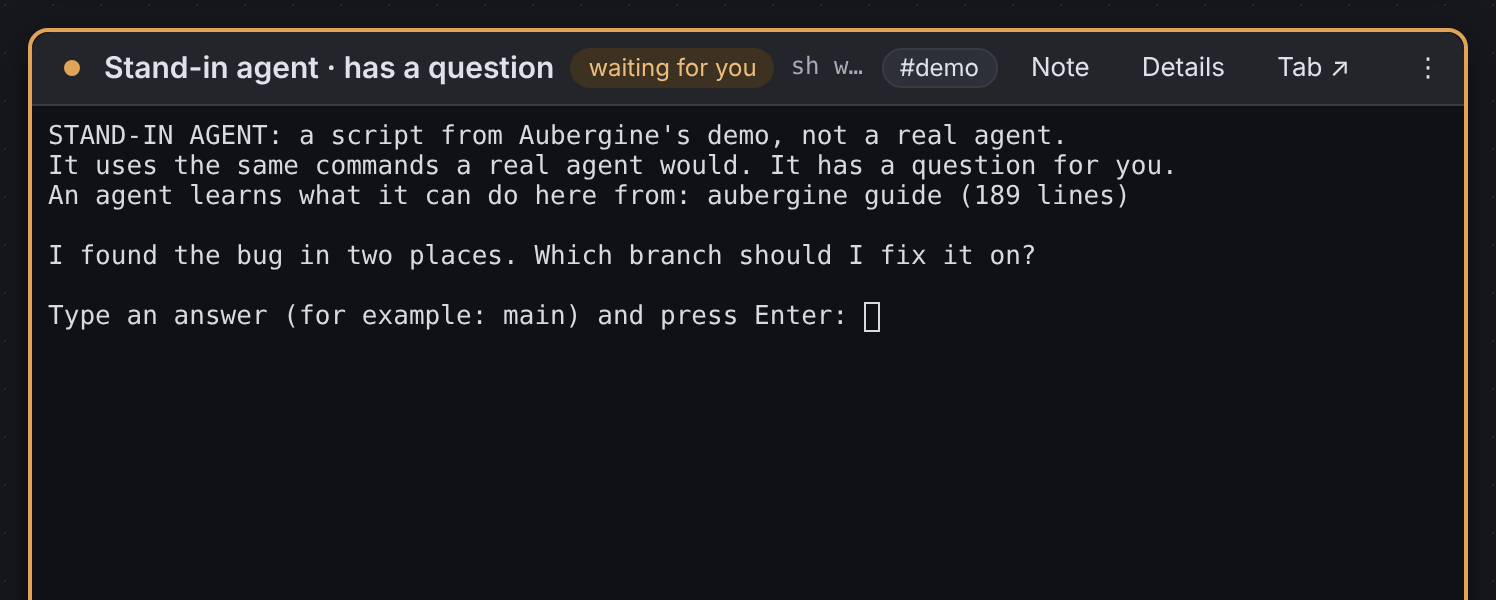
- when the agent needs you (a permission question, or it is idle waiting for input), its line takes the color of waiting, and its title and its row in the list say waiting for you;
- when it stops, the terminal shows finished.
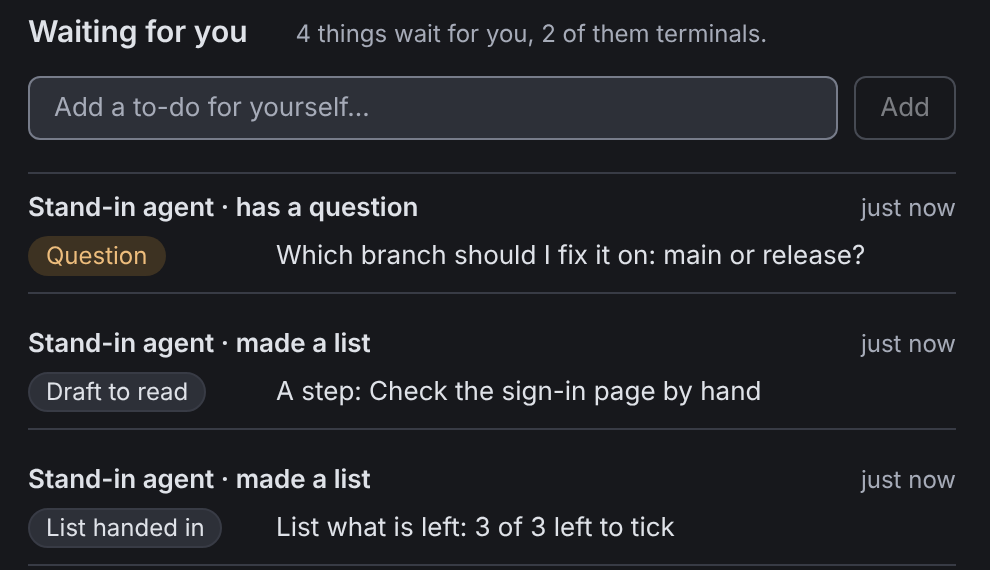
The count beside For you, at the top right of the page, is everything that waits on you, over every project: terminals with a question, and runs to approve, drafts to read and tasks proposed. Pressing it opens Runs, whose Waiting for you column is that list. A canvas's tab shows how many of its terminals wait.
The next one that waits. W goes to the next terminal that is waiting for you while no terminal has the keyboard; on macOS ⌃⌘J does it from inside a terminal too. Elsewhere it is in the palette.
Notifications from the open page. Settings → Notifications has Notify me on the desktop when a terminal starts waiting. Switched on, the page shows a notification of your browser when a terminal starts waiting or its agent has finished, unless you are looking at that terminal. The browser asks your permission once.
Rules. On the Rules tab of Runs, a rule can Notify me when a task is done, a task failed, a task needs you, something is asked of you, or a schedule fired or could not run: a notification from the open page, with a sentence of what happened.
Other agents, and a claude you typed yourself
Aubergine does not read a terminal's output to guess. Any other agent, or any program, says the same by itself with aubergine attention waiting "what it needs", aubergine attention working and aubergine attention done in its terminal. aubergine guide --snippet prints five lines for the file your agent reads at the start of a conversation; they tell it to run aubergine guide, which explains these commands.
A Claude Code you started by typing claude in a plain terminal is a shell busy with a program to Aubergine: no waiting for you. Start it from the menu instead, or add the hooks that aubergine hooks print prints to your own settings by hand; they do nothing outside an Aubergine terminal.
What it does not do
- No sound of its own. Aubergine plays none. A notification makes a sound only if your browser or your system does that for notifications.
- Nothing while no page is open. Notifications come from an Aubergine page open in your browser; the server sends none by itself. With every page closed, the terminal still says waiting for you, and the count is there when you open the page.
- No push to a phone. There is no app and no push service. A phone's browser can be paired to open the same page; see Check on your agents from your phone, which has not been tried on a real phone.
- What was checked. The browser tests check the notifications against a stand-in for the browser's own. How a real one looks, and whether it is shown at all, is up to your browser and your system's settings for it.
Questions
How do I get a notification when Claude Code finishes?
Start Claude Code from Aubergine, then switch on Notify me on the desktop when a terminal starts waiting under Settings → Notifications. The open page then shows a browser notification when a terminal starts waiting for you or its agent has finished. Without a notification, the terminal says finished.
Can Claude Code play a sound when it needs input?
Aubergine plays no sound. A notification sounds if your browser or system makes it sound. A hook of your own in your Claude Code settings can play one; Aubergine never writes to those settings.
How do I see which Claude Code session is waiting when I run several?
In Aubergine the waiting terminal's line and its state are in the color of waiting, its row in the list says waiting for you, and the count beside For you says how many things wait. W goes to the next one.
Do I get notified when the browser is closed?
No. Notifications come from an open Aubergine page. The state is kept, so the terminals that wait are marked when you open the page again.
Does it work with agents other than Claude Code?
Not by itself: the hooks are built for Claude Code. Any other agent can report the same with aubergine attention waiting, working and done when its own instructions tell it to; aubergine guide --snippet prints the lines for those instructions.
Related: Claude Code in Aubergine · Resume a Claude Code conversation · Too many terminals
Aubergine is not affiliated with Anthropic. Claude and Claude Code are trademarks of Anthropic.
Up and running in five minutes
You need macOS with tmux 3.2 or newer and Node.js 22 or newer. brew install tmux node gets both.
npm install -g @meatgarden/aubergine