
Keep a process running after you close the terminal
You started a build, a server or a coding agent, and closing the window would end it. In Aubergine closing the window ends nothing: every terminal runs apart from the browser, and what it printed is there when you come back.
What people usually do
Closing a terminal window ends the shell in it, and with it what that shell started. The standard ways round that:
nohupstarts a command that ignores the hang-up sent when the terminal closes. Its output goes to a file (nohup.outunless you send it elsewhere).disown, in bash and zsh, lets go of a job you already started, so the shell does not pass the hang-up on to it. You cannot get back to it in a terminal afterwards.screenandtmuxrun the shell inside a server of their own. You detach, close the window, and attach again later to the same shell with its output. They are the dependable answer, and you learn their keys and commands to use them.
Aubergine is built on the last of these. It runs tmux for you, so you get its answer without its keys.
What Aubergine does
Every terminal in Aubergine is a shell in a tmux session of its own, on a tmux socket of Aubergine's. tmux runs apart from the browser and from Aubergine's server, so:
- Closing the tab, the window or the whole browser ends nothing. Open the page again (
aubergine openopens it signed in) and each terminal is drawn from tmux as it is now, with what it printed meanwhile in its scrollback. - Stopping Aubergine ends nothing either. Ctrl+C where
aubergine startruns, a crash of the server or an update stops the server and nothing else. Start it again and reload the page. - Closing a terminal on the canvas parks it. The × in its title takes it off the canvas and its shell keeps running. Parked in the bar over the canvas lists parked terminals, and Restore brings one back.
- Ending a shell for good asks first. End in the parked list ends a terminal only after you say yes.
- Other views of it end nothing. Tab ↗ in a terminal's title opens it by itself in a browser tab, and
aubergine attach <name>shows it in a window of your terminal app. Each is the same terminal, not a copy; closing that tab or window leaves it running.
While a shell runs, tmux keeps the last 50,000 lines it printed. The wheel scrolls back through them in the terminal that has the keyboard, and the palette (⌘K) searches them.
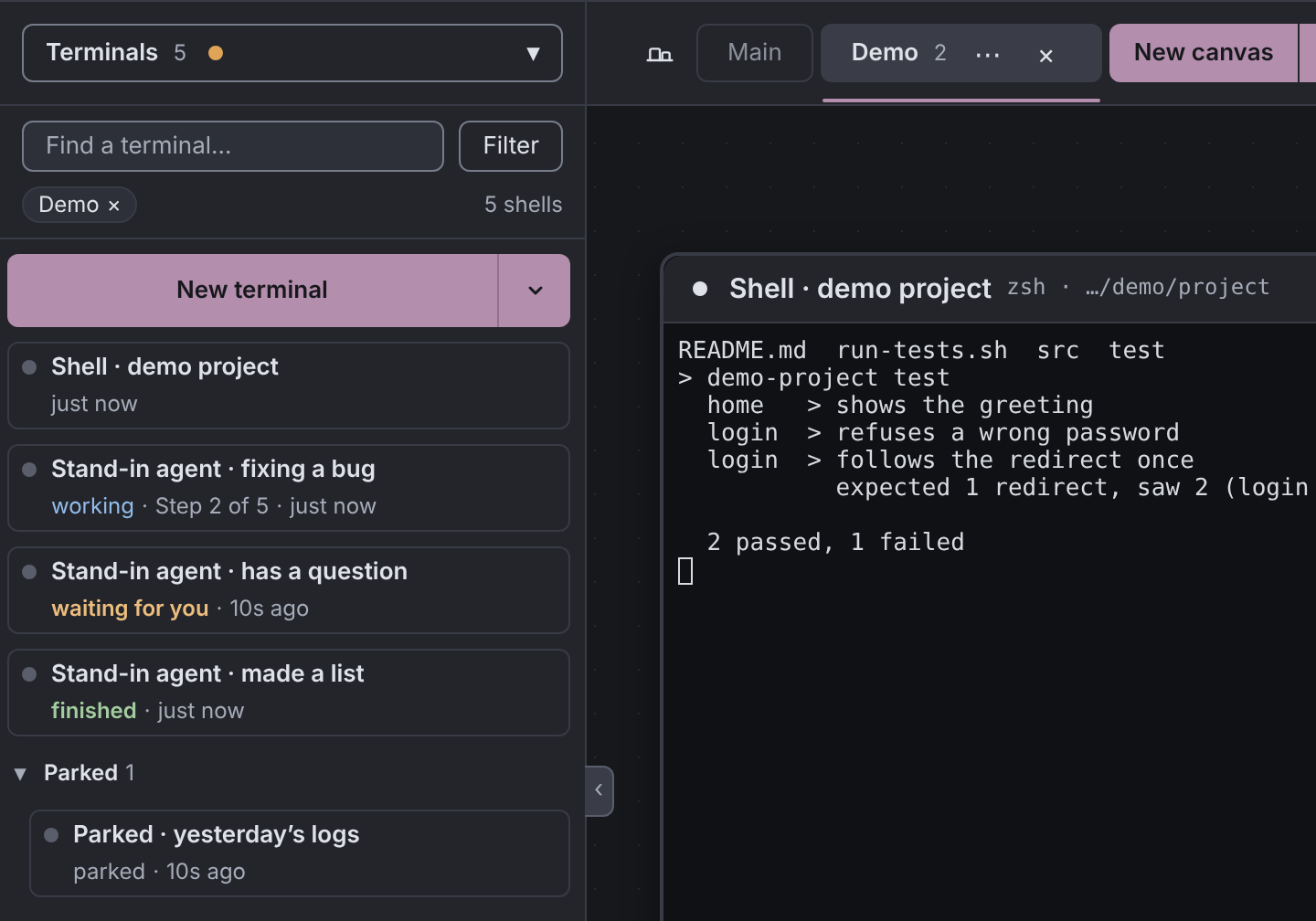
What it does not do
- It does not survive the computer restarting. A restart, a crash of the computer, or an update that restarts it, ends every shell and what runs in it. Aubergine brings back everything around them, each terminal as a fresh shell in its last folder, and starts nothing again by itself. See Keep your terminals after a restart.
- It does not keep the computer awake. A laptop that sleeps pauses its programs, these too; they carry on when it wakes.
- It is not a service manager. A job that must come back by itself after a restart belongs in your system's services.
- It cannot take over a program already running elsewhere. No tool can move a running program into another terminal.
aubergine herein a tab of your terminal app gives that folder a terminal on the canvas; a program running in the tab stays there, and has to be started again inside the new terminal.
On another machine, over SSH
Aubergine runs on your own computer: its server listens on 127.0.0.1, and its terminals are shells on that computer. If what you want kept is a process on a remote server you reach with SSH, tmux or screen on that server is still the answer.
Aubergine itself can run on another machine and be used from your browser, through an SSH tunnel, a private network, or a name and a proxy: Using Aubergine from elsewhere has the steps. Through an SSH tunnel, closing the SSH window that runs aubergine start stops the server, and the terminals keep running. Linux has been run in containers only, and never on a cloud machine.
Questions
Does closing the browser stop my terminal?
No. Every terminal is a shell in tmux, which runs apart from the browser. Close the tab, the window or the browser, open the page again, and each terminal is as it is now, still running, with what it printed meanwhile.
How do I keep a process running after SSH disconnects?
On the remote machine, start it inside tmux or screen, or with nohup. Aubergine keeps terminals on the computer it runs on. It can run on a remote machine too, used through an SSH tunnel or a proxy, but that has been run in containers only, never on a cloud machine.
Should I use nohup or tmux?
nohup suits one command whose output can go to a file. tmux suits a shell you want to come back to and type into. Aubergine gives every terminal the second, in a browser page, without tmux's keys.
Can I see the output after I close the terminal?
Yes, while the shell runs: tmux keeps the last 50,000 lines of each terminal, and the page shows them when you come back. Aubergine records nothing itself, so after a restart of the computer that output is gone.
Will it keep running after a reboot?
No. A restart of the computer ends every program. Aubergine brings each terminal back as a fresh shell in its last folder, with its place, name and note, and runs nothing again.
Related: Keep your terminals after a restart · tmux without learning tmux · Know when Claude Code is waiting
Up and running in five minutes
You need macOS with tmux 3.2 or newer and Node.js 22 or newer. brew install tmux node gets both.
npm install -g @meatgarden/aubergine